
Photo sorting · iPhone
Ordnerei
Sort, explore,
rediscover memories.
Too many photos and no overview? Ordnerei helps you tidy up your library one swipe at a time – and brings back moments you had long forgotten.
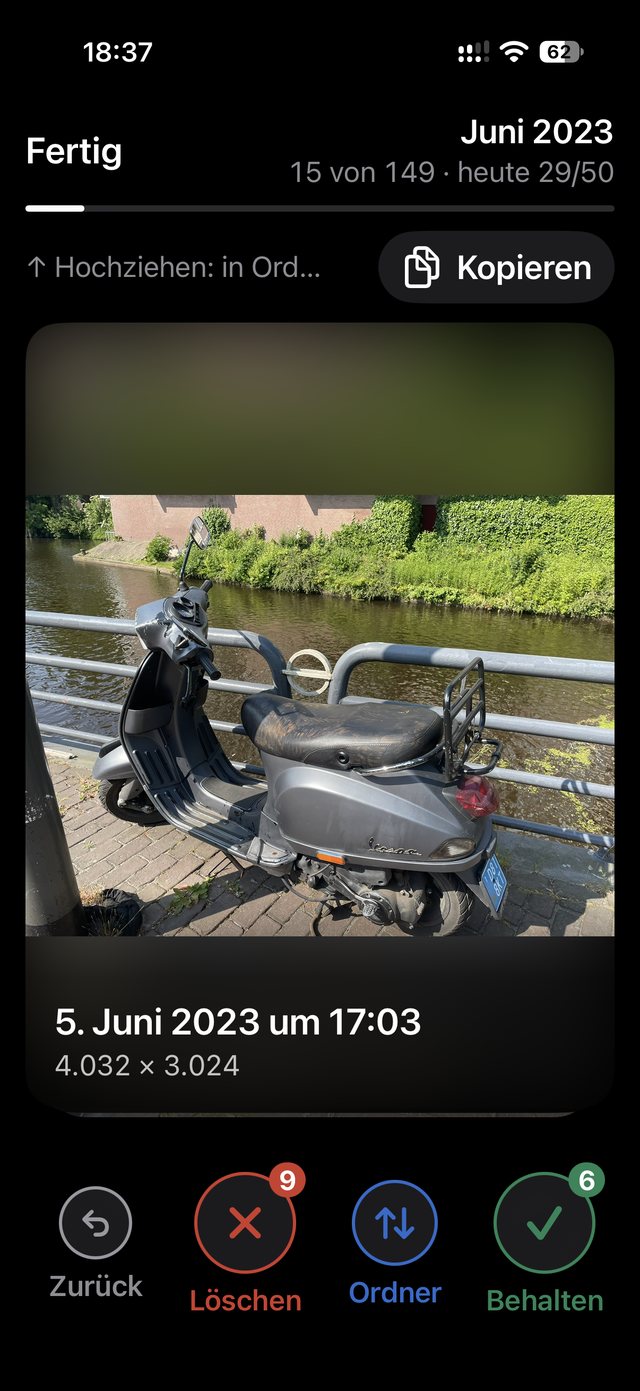
- Left: To delete
- Up: Into a folder
- Right: Keep
How it works
One photo at a time. Four directions, nothing else.
Swipe right
Keep.
Swipe left
Set aside. The photo goes into the “Zum Löschen” (To Delete) album.
Swipe up
Move into one of your folders.
Swipe down
Move into your last-used folder.
Changed your mind? Tap “Back” to undo any decision.
Nothing gets lost
Ordnerei never deletes anything itself. Everything you set aside goes into the “Zum Löschen” (To Delete) album; you take the final step in the Photos app.
Your folders, your order
Create your own folders, such as Holidays, Family or Screenshots. They show up as albums right in the Photos app.
Sort your way
Filter by type, album, year, month or day. Pick a capture date in the calendar, and a daily goal keeps you going.
Private by design.
- No account
- No ads
- No tracking
- Your photos stay on your iPhone
Help and privacy
Privacy
Your photos never leave your iPhone. Everything else is in the privacy policy.
Read the privacy policyFrequently asked questions
Does Ordnerei delete my photos?
No. Ordnerei only puts what you set aside into the “Zum Löschen” (To Delete) album. Deleting is up to you, in the Photos app.
Do I need an account?
No. Ordnerei works without an account and uploads nothing.
Where do I find my folders?
As albums right in the Photos app.